- Published on
Nestjs Controller | Nestjs Docs
- Authors

- Name
- JaeHyeok CHOI
- none
Nestjs Controller
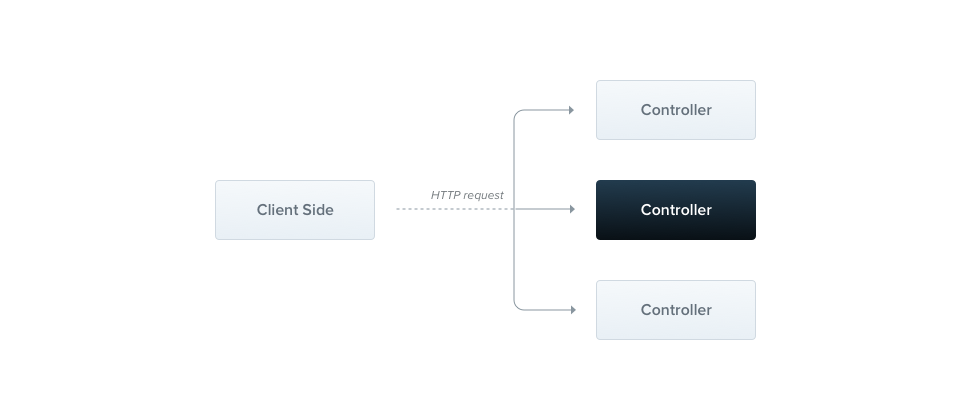
컨트롤러의 목적은 애플리케이션의 특정 요청에 대한 핸들링을 하는 것입니다.
라우팅 메커니즘은 각 요청을 처리할 컨트롤러를 결정하고, 컨트롤러는 여러 경로를 가지며, 각 경로는 각각의 핸들러 함수를 호출합니다.
Controller Decorator
기본 컨트롤러를 만들 때에 데코레이터를 사용합니다.
@Controller('home')
export class AppController {
  @Get()
  getHello(): string {
    return 'Hello World!';
  }
}
이렇게 컨트롤러를 정의할 때에는 @Controller('home') 데코레이터를 사용합니다.
이 데코레이터는 컨트롤러가 처리할 URL 경로를 지정하며, 이 경우 home으로 지정되었습니다.
또한, @get() 데코레이터로 Get 요청을 처리할 핸들러 함수를 정의합니다.
반환
위 예제에서 이 엔드포인트에 GET 요청이 들어오게 되면 Nest는 user-defined된 getHello 함수를 호출하여 반환값을 HTTP 응답으로 반환합니다.
이 경우, 'Hello World!'가 반환되어 HTTP 200 상태 응답으로 반환됩니다.
Nestjs의 응답 조작 두 가지
- Standard
- 이 빌트인 메소드를 사용하게 되면 요청 핸들러는 JS 객체나 배열을 반환할 수 있으며 이는 자동으로 JSON으로 직렬화되어 응답합니다.
- Javascript 원시 타입 (string, number, boolean, null, undefined)을 반환할 경우, 그 값이 그대로 응답됩니다.
- POST 요청의 201 응답을 사용하지(특정하지) 않는 이상 200 응답이 반환되며,
@HttpCode(...)데코레이터를 사용해 다른 HTTP 상태 코드를 반환할 수 있습니다.
- Library-Specific
- Express 등의 응답 객체를 직접 지정하여 응답합니다.
@Res()데코레이터를 사용하여 Express Response 객체를 가져올 수 있습니다. (이 경우, native response 에 대한 접근이 가능합니다.)
Request 객체
| --- | --- |
|---|---|
| `@Request(), @Req() | req` |
| `@Response(), @Res() | res` |
| `@Next() | next` |
| `@Session() | req.session` |
| `@Param(key?: string) | req.params / req.params[key]` |
| `@Body(key?: string) | req.body / req.body[key]` |
| `@Query(key?: string) | req.query / req.query[key]` |
| `@Headers(name?: string) | req.headers / req.headers[name]` |
| `@Ip() | req.ip` |
| `@HostParam() | req.hosts` |
Resources
Route wildcards
@Get('abcd/*')
findAll() {
  return 'This route uses a wildcard';
}
- '*': Zero or more segments
- '.' & '-': literally by string-based paths
최신 Express (v5) 에서는 보다 라우팅 규칙이 엄격해 졌습니다. 순수 Express 에서는
Status codes | HTTP Status codes | HTTP 상태 코드 작성
@Post()
@HttpCode(204)
create() {
  return 'This action adds a new cat';
}
Response headers
@Post()
@Header('Cache-Control', 'no-store')
create() {
  return 'This action adds a new cat';
}
Redirection
@Get()
@Redirect('https://nestjs.com', 301)
Route Parameters
@Get(':id')
findOne(@Param() params: any): string {
  console.log(params.id);
  return `This action returns a #${params.id} cat`;
}
파라미터 토큰의 타입 명시
@Get(':id')
findOne(@Param('id') id: string): string {
  return `This action returns a #${id} cat`;
}
Sub-domain 라우팅
@Controller({ host: 'admin.example.com' })
export class AdminController {
  @Get()
  index(): string {
    return 'Admin page';
  }
}
※ Fastify는 중첩 라우터를 지원하지 않습니다.
@Controller({ host: ':account.example.com' })
export class AccountController {
  @Get()
  getInfo(@HostParam('account') account: string) {
    return account;
  }
}
이런 식으로 HostParam 데코레이터를 사용하여 host 파라미터를 가져올 수 있습니다.
Asynchronicity
@Get()
async findAll(): Promise<any[]> {
  return [];
}
@Get()
findAll(): Observable<any[]> {
  return of([]);
}
이런 식으로 Observable streams을 반환할 수 있습니다.